The settings in the battery performance optimization on Android smartphones (from Android 6 - Marshmallow) can prevent the automatic reconnection to I LOCK IT.
On Android 6 (Marshmallow), battery performance optimization is part of the settings on the smartphone. To turn off the optimization for the I LOCK IT app, please follow these steps:
Note: The procedure may differ depending on the manufacturer of your smartphone. If you have any questions, please contact the manufacturer directly.
- Open Settings on the smartphone
- Go to the Battery menu item
- Select the Battery Performance Optimization item in the upper right corner of the screen
- Select "All Apps" from the drop-down menu
- Now go to I LOCK IT and select “Do not optimize”
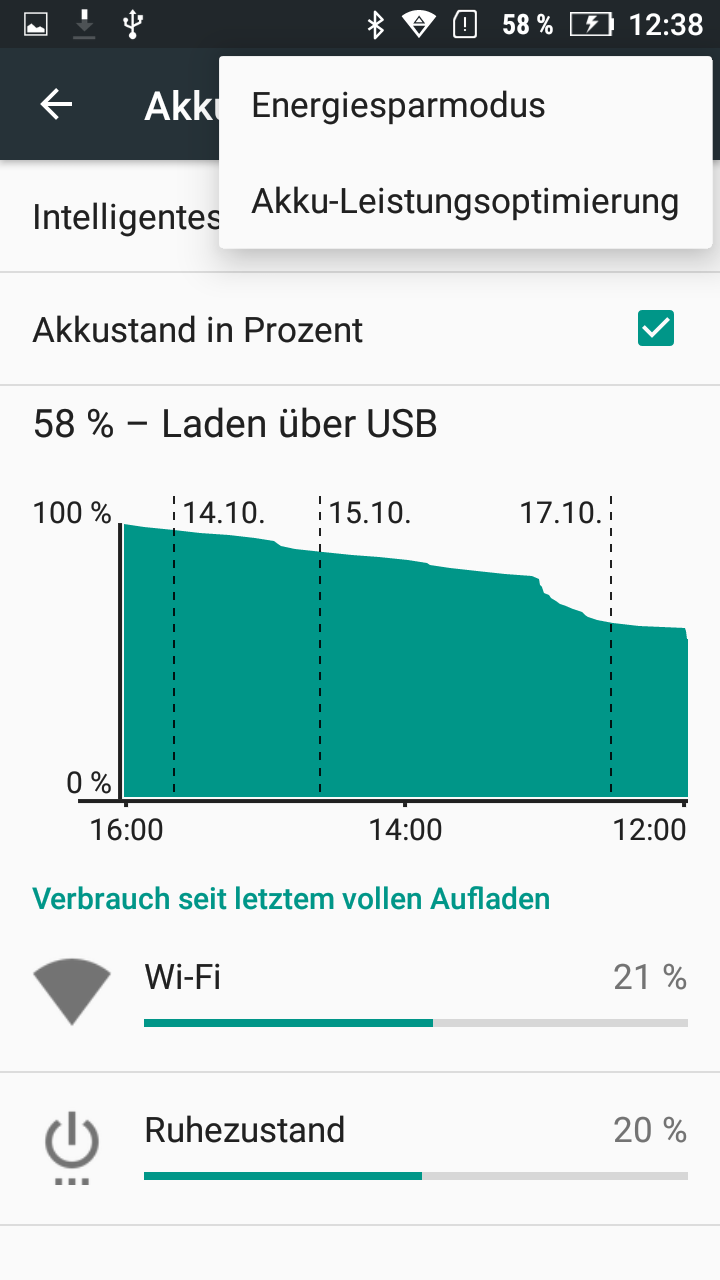
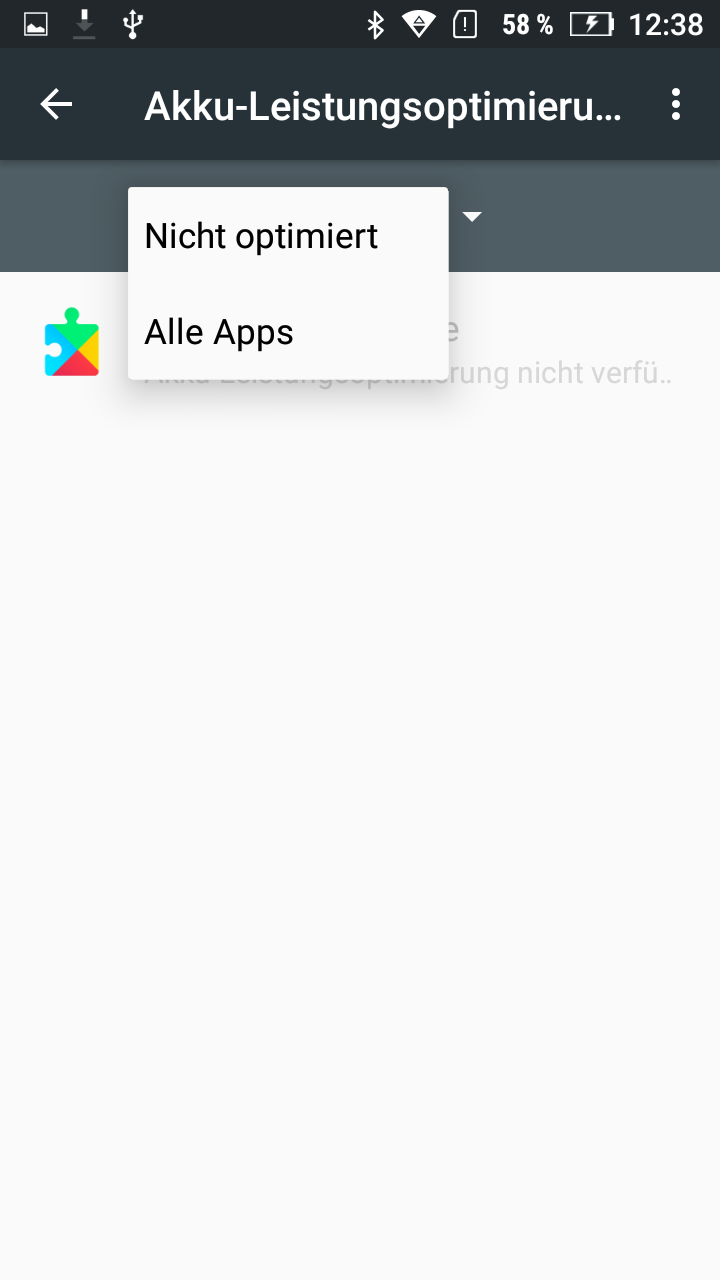
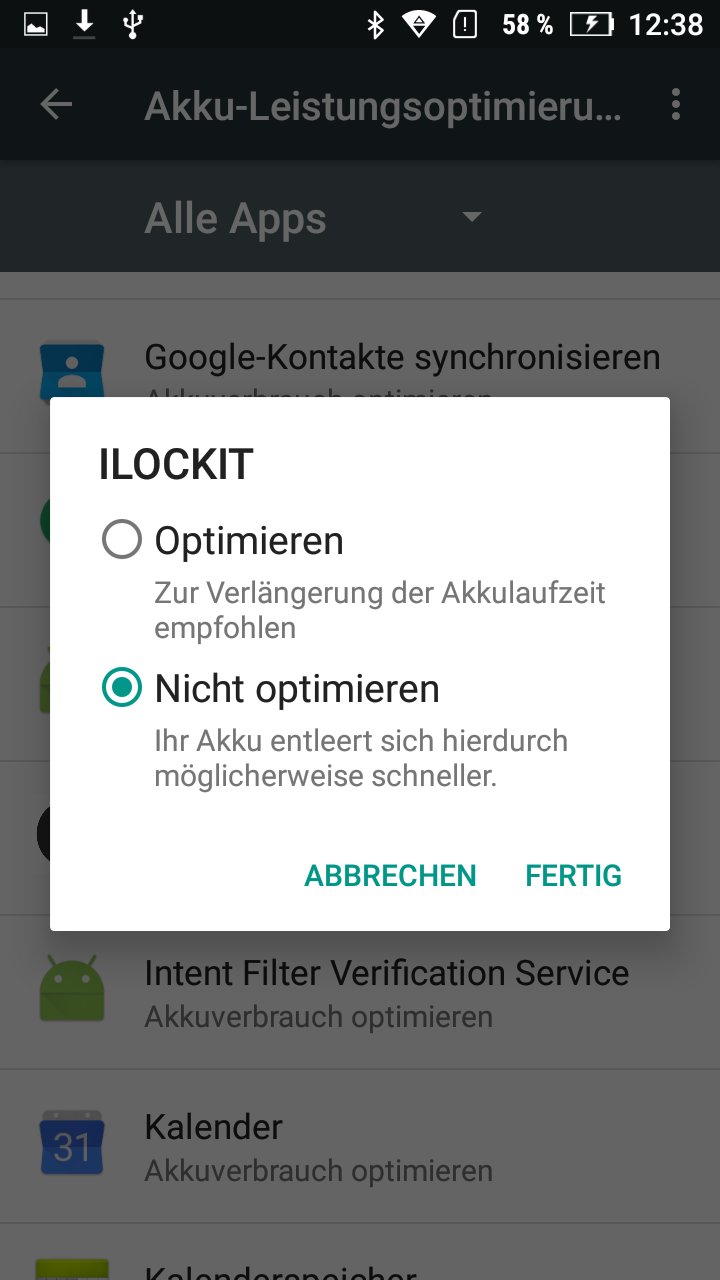
Standby settings of your smartphone
The I LOCK IT app should not be listed in the "Apps always on standby" setting. This setting can be found on most smartphones under Settings → Battery.